 @pan93412
Following 0.1.1 Beta, Zeabur 0.2.0 is out: the first stable release of open-source Zeabur!
This release focuses on reliability and transparency. You know what will change before you install or upgrade, and what to do next if something goes wrong. See the v0.2.0 release notes for the full list of changes.
What's new
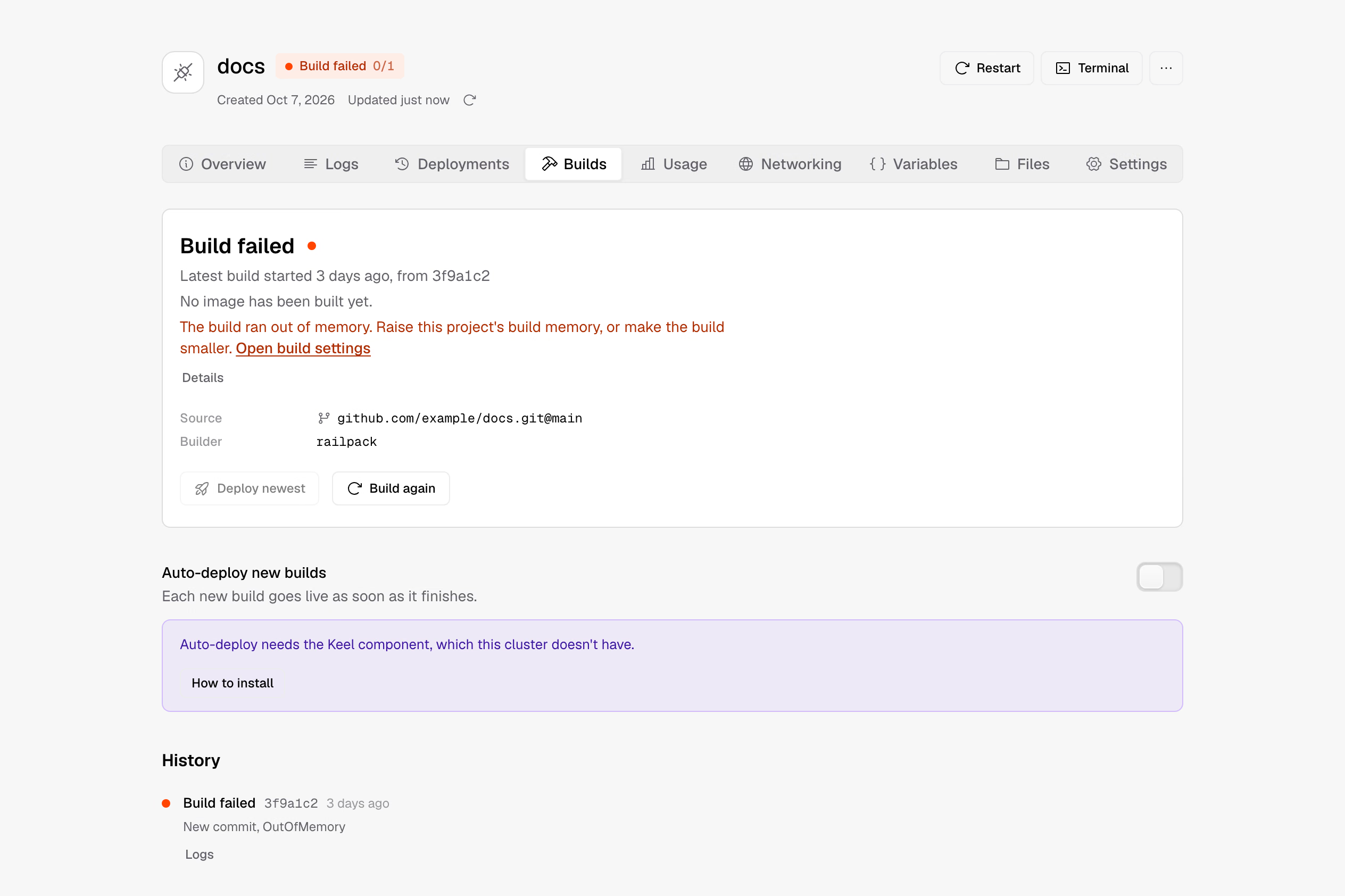
planshows what has changed since the lastapply, and the installer has a new "Options" step.- Failed build cards explain the cause in one sentence. If a build runs out of memory, a link beside the message opens the project's build settings.
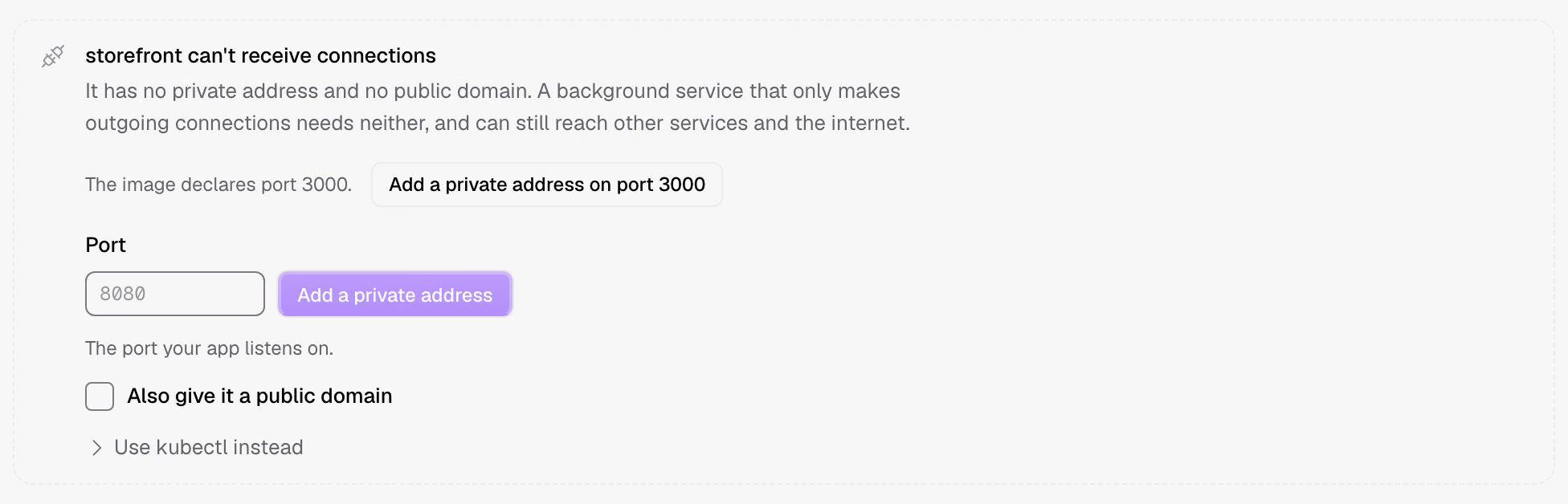
- Deployment forms fill in the port or suggest one from the image's declarations.
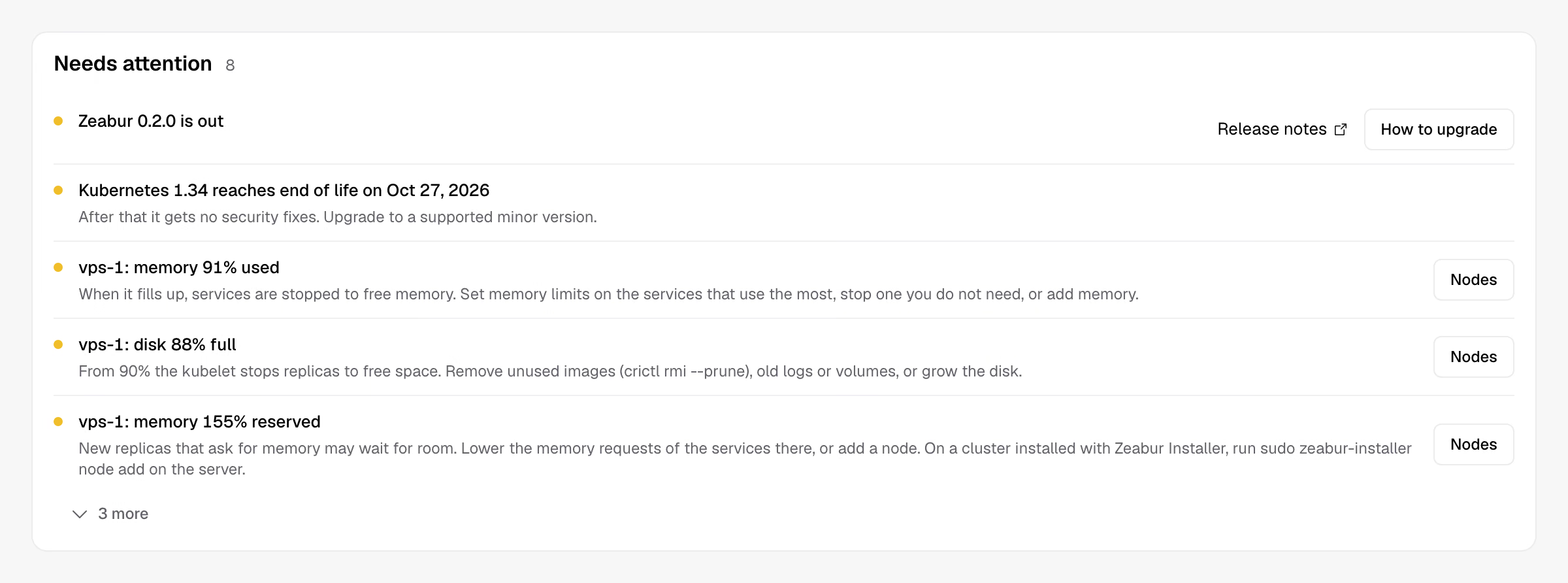
- The Cluster page notifies you when a new version is available, with upgrade steps for your installation method.
- On slow networks, a progress bar appears about 100 milliseconds after you take an action.
- Identity 0.1.2 fixes passkey sign-in getting stuck on "This sign-in expired".
See what will change before installing
plan now shows what has changed since the last apply, including system files, services that need to restart, component changes, and the Zeabur version. You no longer have to search the full installation list to work out what this run will change.
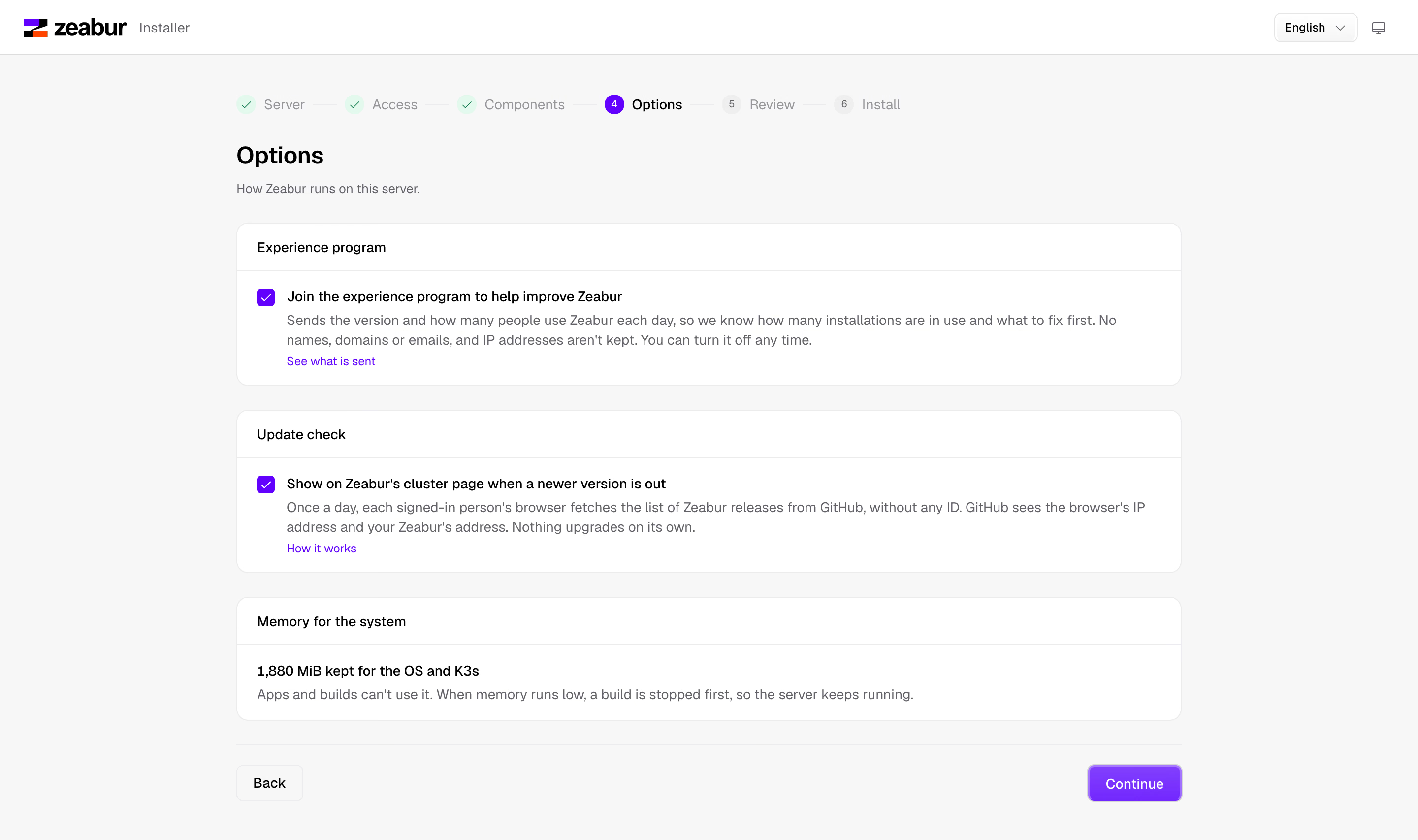
The installer's new "Options" step lets you configure the experience program and update notifications. It also shows how much memory is reserved for the system.
Why a build failed
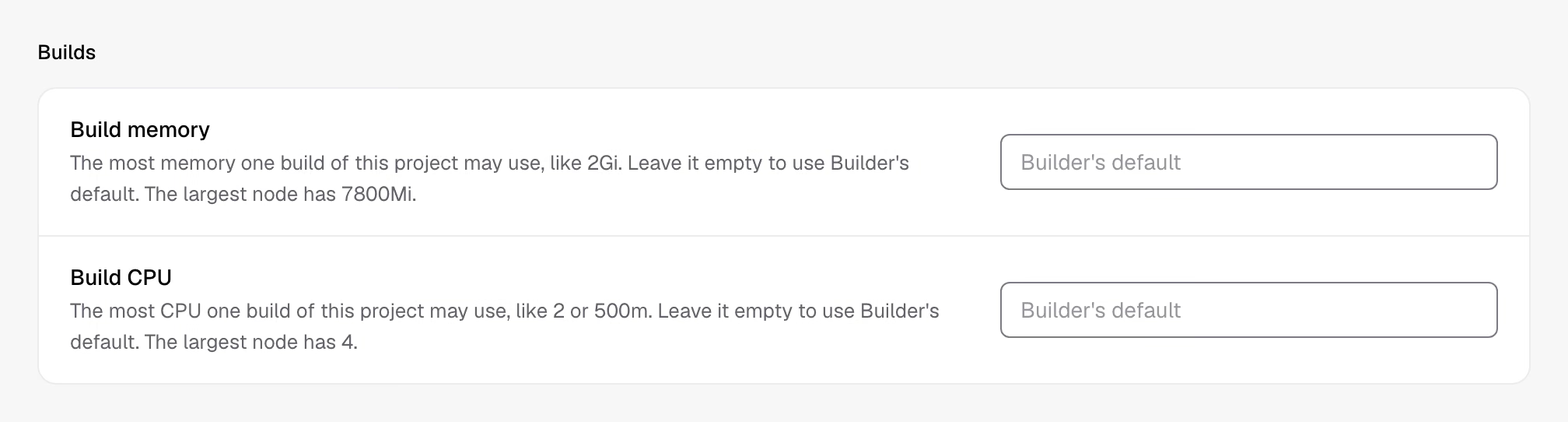
When a build fails, its card starts with a one-sentence explanation. If it ran out of memory, "Open build settings" takes you straight to the project's limits so you can raise them. Each project has adjustable build memory and CPU limits. Open "Details" to read the raw output.
Port suggestions
After a Dockerfile service finishes its first build, the "Networking" tab reads the ports declared by the image and suggests adding a private address on that port. Clicking the button shows the changes first. The address is created only after you confirm and apply them.
Services built with Railpack from Git or a folder default to port 8080. If the cluster has a domain suffix configured, the URL is filled in too.
Update notifications
When a new version is available, the Cluster page shows a notification with release notes and upgrade steps for the method you originally used to install Zeabur. Zeabur doesn't upgrade itself. You can read the changes first and decide when to upgrade.
Multi-node and Ubuntu 26.04 improvements
On multi-node K3s clusters, apply could fail even when worker nodes showed Ready because webhook calls between nodes were blocked. Webhooks let Kubernetes call other components to check objects when they're created or changed. New K3s installations use a different method for cross-node connections. For existing clusters, follow the commands in this issue.
AppArmor rules in Ubuntu 26.04's newer kernel prevented containers from sending signals to their own processes, so components such as PostgreSQL couldn't start. The installer now loads corrected rules before starting the cluster.
Previously, a worker node that joined before Longhorn was installed would remain without the packages needed to mount volumes. Now, running plan on that node lists the preparation it needs, and apply installs the missing packages. doctor also provides a command to refresh the Longhorn checks.
On multi-node clusters configured according to the K3s CIS hardening guide, kube-system allowed connections only from its own pods. That prevented kube-apiserver from reaching metrics-server on another node. Half of the usage queries took about a minute to fail, leaving the Nodes page and kubectl top empty until then. Now metrics-server accepts requests from every node. Even if it still can't be reached, Zeabur waits only five seconds, then shows the nodes and resource requests with a note that usage is temporarily unavailable.
Better guidance when component upgrades fail
Helm installs and upgrades the cluster's components. When an upgrade fails, Helm marks that revision as failed. During testing, we saw a zot upgrade fail while apply reported Done. The screen looked as though the upgrade had succeeded, but zot, the cluster's built-in image registry, hadn't actually been upgraded.
After upgrading a component, apply now checks the result Helm recorded. If Helm marked it as failed, apply stops and lists the recovery steps:
- Use
helm historyto find the cause. - Fix the cause, then run
apply. This updates the component's configuration, but still stops at the same step. - Run
helm rollback. If the first installation failed, usehelm uninstallinstead. - Run
applyagain to apply the corrected configuration.
Run the helm commands on a computer with Helm installed and access to the cluster. Fix the cause before rolling back. If you roll back first, the next apply attempts the upgrade again with the same broken configuration.
Builder, Identity, and Catalog
Zeabur 0.2.0 ships alongside Zeabur Builder 0.2.1, Zeabur Identity 0.1.2, and Zeabur Catalog 0.4.2.
Zeabur Builder 0.2.1
Builds now have limits by default. Each build gets 1 CPU and 1 GiB of memory, with at most one build running at a time per namespace and across the cluster. Other builds queue with the status QuotaExceeded, and the earliest submitted build starts first. In 0.1.1, each namespace could run up to 3 builds at once, with no CPU or memory limits.
These defaults came from a failure on a 4 GB test server: a build exhausted its memory and took other services down too. If you need more resources, raise the limits in project settings. A team install on K3s needs at least 2700 MiB, or 3900 MiB with Builder, so Builder isn't installed by default on a 4 GiB server.
When a build runs out of memory, Builder records OutOfMemory as the failure reason. Zeabur uses that reason to show "The build ran out of memory." on the build card. After a successful build, Builder also reads and records the ports declared by the image. That's where the "Networking" tab gets its port suggestions.
Builder now deletes only images it has pushed itself. Images you manually push to <namespace>/<name> stay when you delete a Build with the same name.
buildkitd now always runs in a Linux user namespace, so Builder requires Kubernetes 1.34 or later. Previously, changing the build cache size or storage class prevented namespaces with an existing buildkitd from starting any more builds. Builder now deletes and recreates the old buildkitd and cache. The next build starts with an empty cache.
Zeabur Identity 0.1.2
If autofill and the "Sign in with a passkey" button responded at the same time, sign-in got stuck on the "This sign-in expired" screen. Version 0.1.2 fixes this by submitting only the first response.
Removing a passkey, unlinking an account, or renaming a passkey on the Account page now happens in a dialog instead of expanding the entire row. Identity's memory request also drops from 32Mi to 24Mi. Image version tags no longer have a v prefix; pull ghcr.io/zeabur-oss/identity:0.1.2.
Zeabur Catalog 0.4.2
zot and VictoriaMetrics keep running when you switch profile between single-node and multi-node. Previously, switching changed the volume sizes and caused zot upgrades to fail. Both profiles now use the same sizes: 20 GiB for zot and 5 GiB for VictoriaMetrics. Before the first upgrade of an installation created with multi-node, run the three commands in the Catalog v0.4.0 release notes.
On multi-node, database and storage operators, Reloader, and k8up now request memory based on actual usage, roughly half their previous requests or less. VictoriaMetrics' memory request drops from 512 MiB to 224 MiB, while still keeping two weeks of data.
CrowdSec agents recover automatically after a node restarts. You no longer need to run cscli machines delete by hand.
After a component file changes, it must pass testing again before it's listed as tested (testedOn). Each test records the component file's digest. A passing result counts only if its digest matches the current file. If the installer selects a component that hasn't been tested on your Kubernetes distribution, it still installs it, but shows a warning.
Upgrading
This release includes breaking changes. Read the v0.2.0 release notes before upgrading. For multi-node installations, also read the Catalog v0.4.0 release notes.
How we tested
We tested K3s, RKE2, and KubeSolo on Ubuntu 26.04 virtual machines, including single-node clusters, multi-node clusters, and worker nodes added after installation. Along with upgrades from older versions, we deliberately filled disks and rebooted machines while applying configuration to check whether the work could resume afterward.
Every week, Catalog fully tests each distribution's supported components. Before release, Zeabur, Builder, and Identity also reran their tests with release candidates. For Catalog, we checked that the components and templates matched the versions that passed the full tests. The results are recorded in #248.
A look at the next release
The next release is already underway! Here are a few features in development:
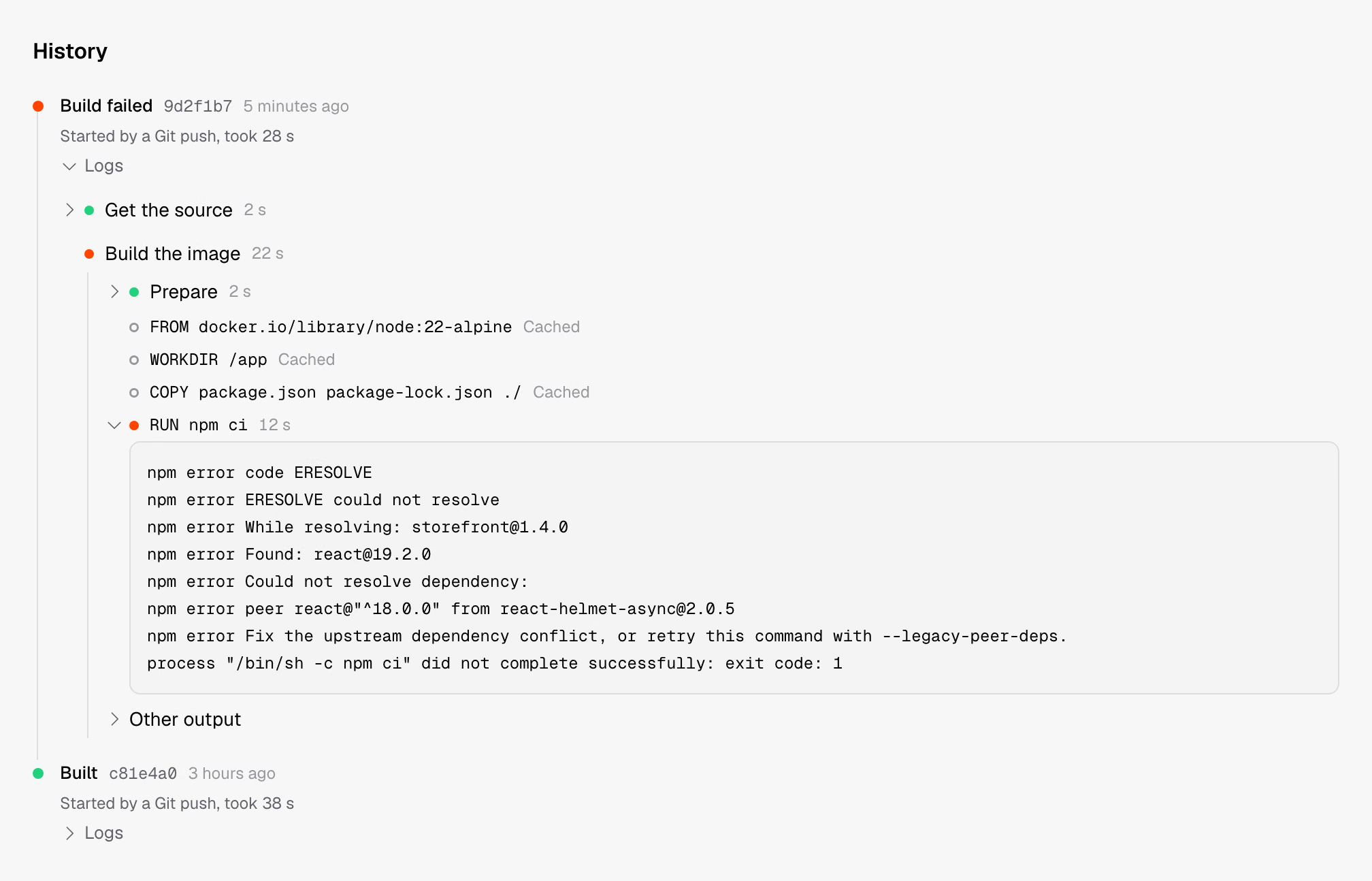
Builds will show a live list of steps. You'll be able to see which steps used the cache and which failed, with the failed step's output expanded automatically.
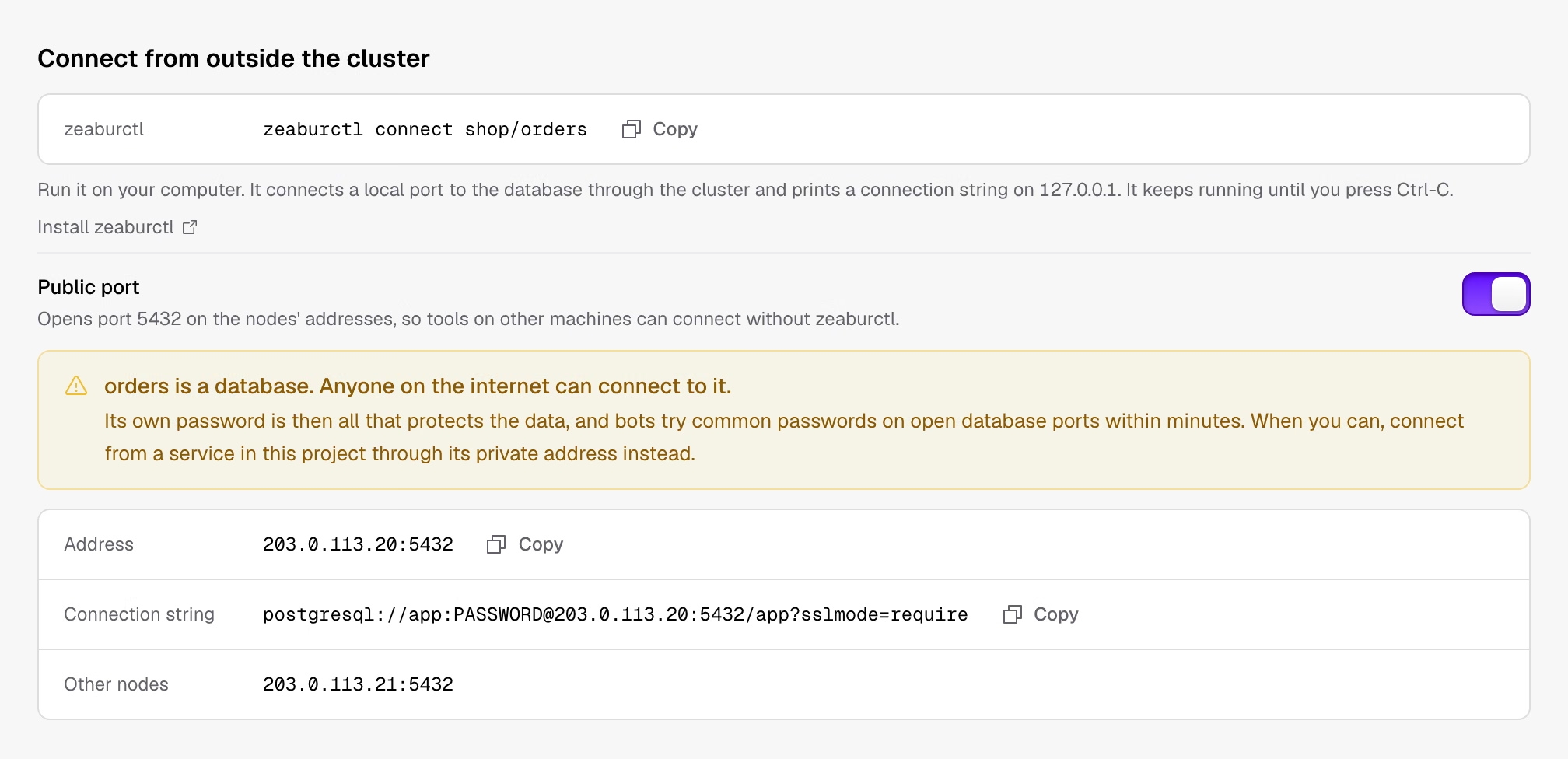
Database pages will explain how to connect from outside the cluster. Use zeaburctl connect to forward a database to a port on your computer, or open a public port so tools on other machines can connect directly. Before you open it, the interface will warn you about the risks.
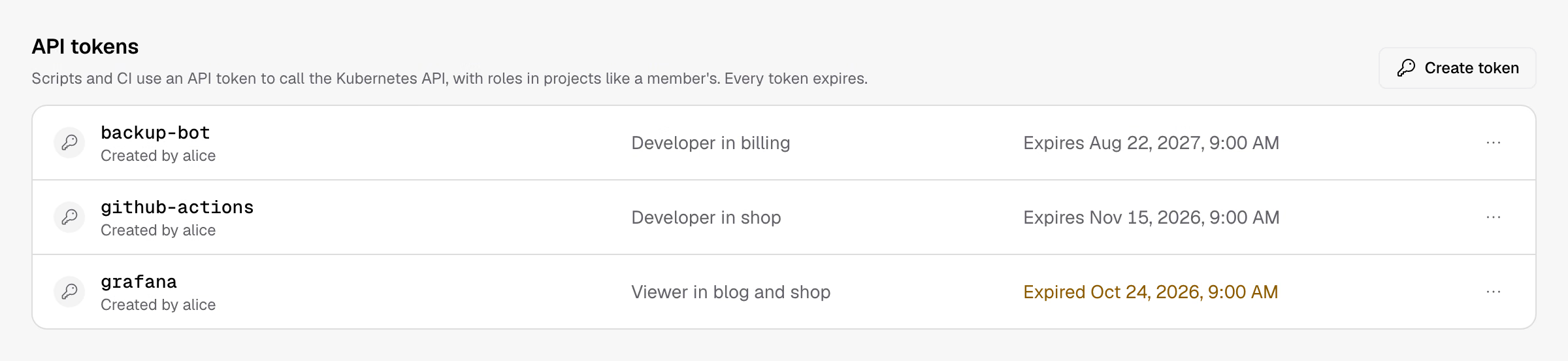
You'll be able to create API tokens for CI or scripts directly on the Members page, without creating a ServiceAccount and binding roles yourself.
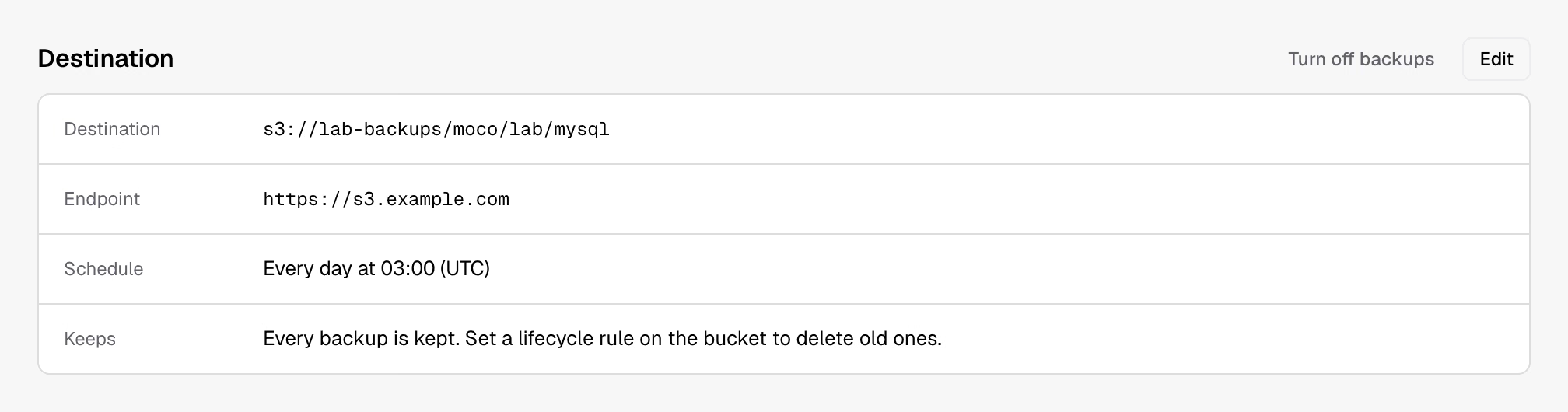
After setting up database backups, you'll be able to change the schedule, retention period, and keys, or turn backups off. Backups already stored in the bucket will stay.
If a resource's controller never finishes cleaning up during project deletion, the project stays stuck deleting. You'll be able to force-delete it directly, without handling it yourself with kubectl.

Other work includes getting the latest templates without upgrading Zeabur, browsing and uploading files directly in object storage, grouping services in the interface, restarting databases, and showing how much memory a node has left before it starts evicting pods. Cluster administrators will be able to use kubectl as themselves. There will also be a project manager role between Developer and Admin, sign-in through any OpenID Connect provider, and network access through HTTPS_PROXY. #335 groups all the work by area and is a good place to start if you'd like to contribute.
Get involved
- Share ideas and suggestions on Discord.
- Report problems in Zeabur issues, with your Kubernetes distribution, the commands you ran, and their output.
- To contribute code, pick an issue from #335. It also marks issues suitable for first-time contributors. The sooner these issues are finished, the sooner the next release ships.