Personal use: install on a small machine
Install Kubernetes and components with KubeSolo on a machine with 1.5 GiB of memory, optionally add Zeabur Builder, and open Zeabur on your own computer with zeaburctl ui.
For personal use, the installer can install KubeSolo instead. The server runs only Kubernetes and its components, without the Zeabur dashboard or Zeabur Identity. To use Zeabur, run zeaburctl ui on your own computer and connect with the kubeconfig from the server.
Personal use vs. team use
Section titled “Personal use vs. team use”| Personal use | Team use | |
|---|---|---|
| Kubernetes | KubeSolo | K3s or RKE2 |
| Memory | 1.5 GiB or more | 4 GiB or more |
| How to open Zeabur | Run zeaburctl ui on your own computer | Open the server's Zeabur URL and sign in with a passkey |
| Members and permissions | None. Anyone with the kubeconfig can control the entire cluster | Zeabur Identity accounts and project roles |
| Networking between projects | No isolation. KubeSolo doesn't enforce network policies | Isolated with network policies |
| Nodes | This machine only | More nodes can be added |
| Components | Ingress and certificates, with optional Zeabur Builder (includes zot) | All Catalog components |
| Databases | Available | Available |
The personal installation doesn't include Zeabur Builder or zot (the image registry that stores build results) by default, so it can only deploy existing container images. To build from Git or a folder, select Zeabur Builder during installation. The installer adds zot with it. These two components need about 300 MiB of additional memory. The installer won't let you select them if the machine has less than 1800 MiB of memory.
The personal installation also has no members or permissions. For kube-apiserver to recognize sign-in credentials issued by Zeabur Identity, it needs to load configuration through --authentication-config. KubeSolo doesn't currently expose this setting (portainer/kubesolo#231). You can only connect with the kubeconfig from the server, and anyone who has it can control the entire cluster. This isn't suitable for sharing among multiple people or teams.
When the server reports less than 2700 MiB of memory, the installer only accepts personal use. There's no direct upgrade path to team use. To switch later, reinstall on a server that reports at least:
| Without Zeabur Builder | With Zeabur Builder | |
|---|---|---|
| K3s | 2700 MiB | 3900 MiB |
| RKE2 | 3500 MiB | 4800 MiB |
Zeabur Builder needs its own memory and room for one build. On a server with less, the installer still installs for a team but leaves Zeabur Builder out, and the same goes for VictoriaMetrics and VictoriaLogs. Memory the kernel keeps for a crash kernel (kdump) is not in what the server reports. If you don't need it, turn it off; the installer gives the command when it checks the server.
Prepare the machine
Section titled “Prepare the machine”- Linux with systemd, on amd64 or arm64.
- Root access.
- At least 1.5 GiB of memory.
- At least 10 GiB of free space in
/var/lib/kubesolo. - TCP ports 80, 443, 6443, 10250, and 10443 available.
- No existing installation of RKE2, K3s, kubeadm, k0s, or MicroK8s.
- Docker not installed or running. Docker drops forwarded packets by default, so replicas can't reach external networks or obtain certificates. The installer stops if it finds Docker (a binary, service, or socket) or a firewall forwarding policy set to DROP. Stop and remove Docker before installing.
Your own computer needs zeaburctl and must be able to reach the server on TCP port 6443. On Windows, run the Linux zeaburctl in WSL.
The installer pins the versions of KubeSolo, helm-controller, and kubectl, and checks their SHA-256 hashes after downloading them. It specifies the helm-controller image by digest. Images for component installation Jobs can only be specified by tag, so the installer checks the digest each Job actually used after it finishes and stops if it doesn't match.
Install with the web interface
Section titled “Install with the web interface”Follow Install Zeabur on a server to open the installer. In “Check the server,” set “Who is it for” to “Just me.” This removes the “Access” step.
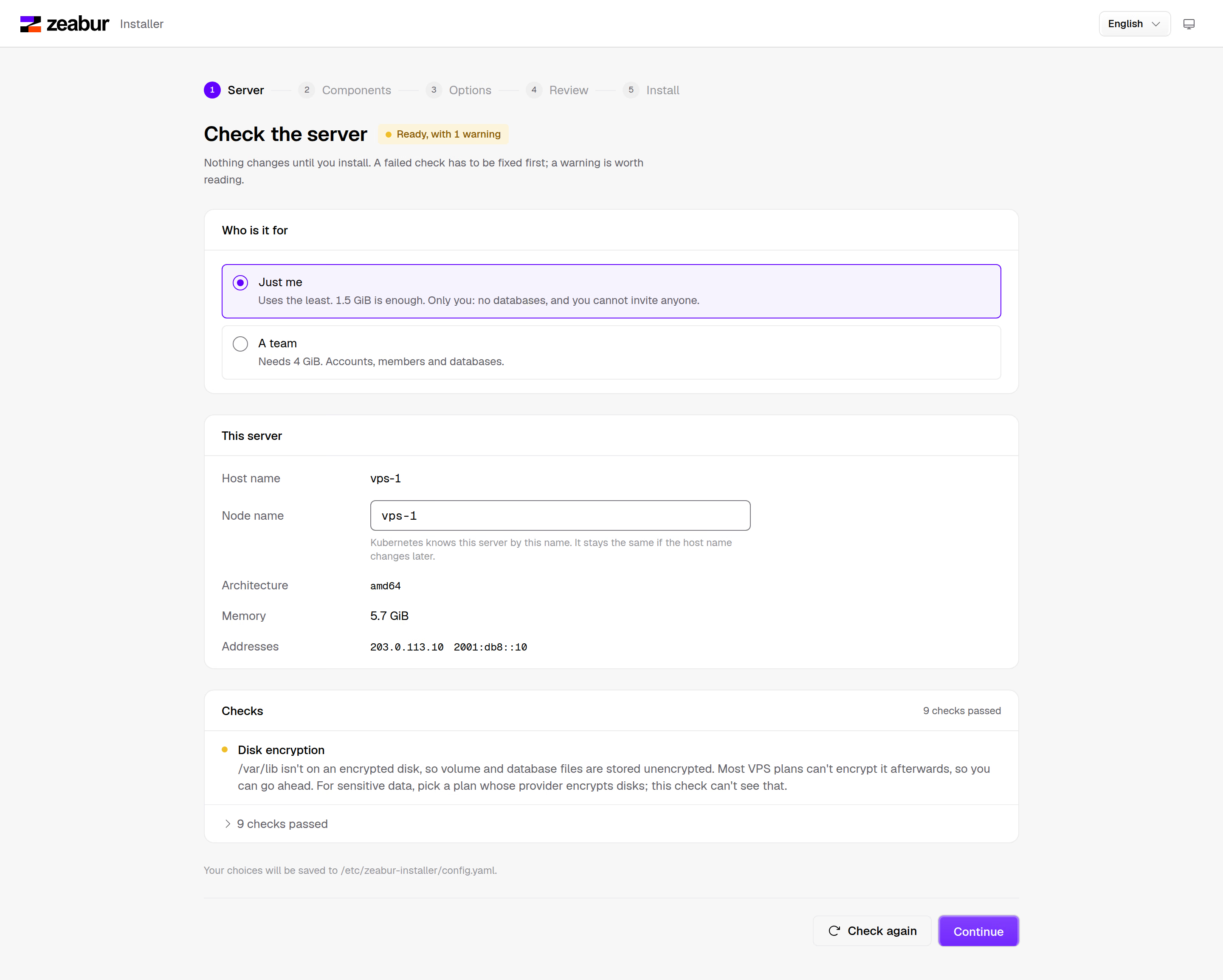
If the server reports less than 2700 MiB of memory, “A team” is disabled. Only “Just me” is available.
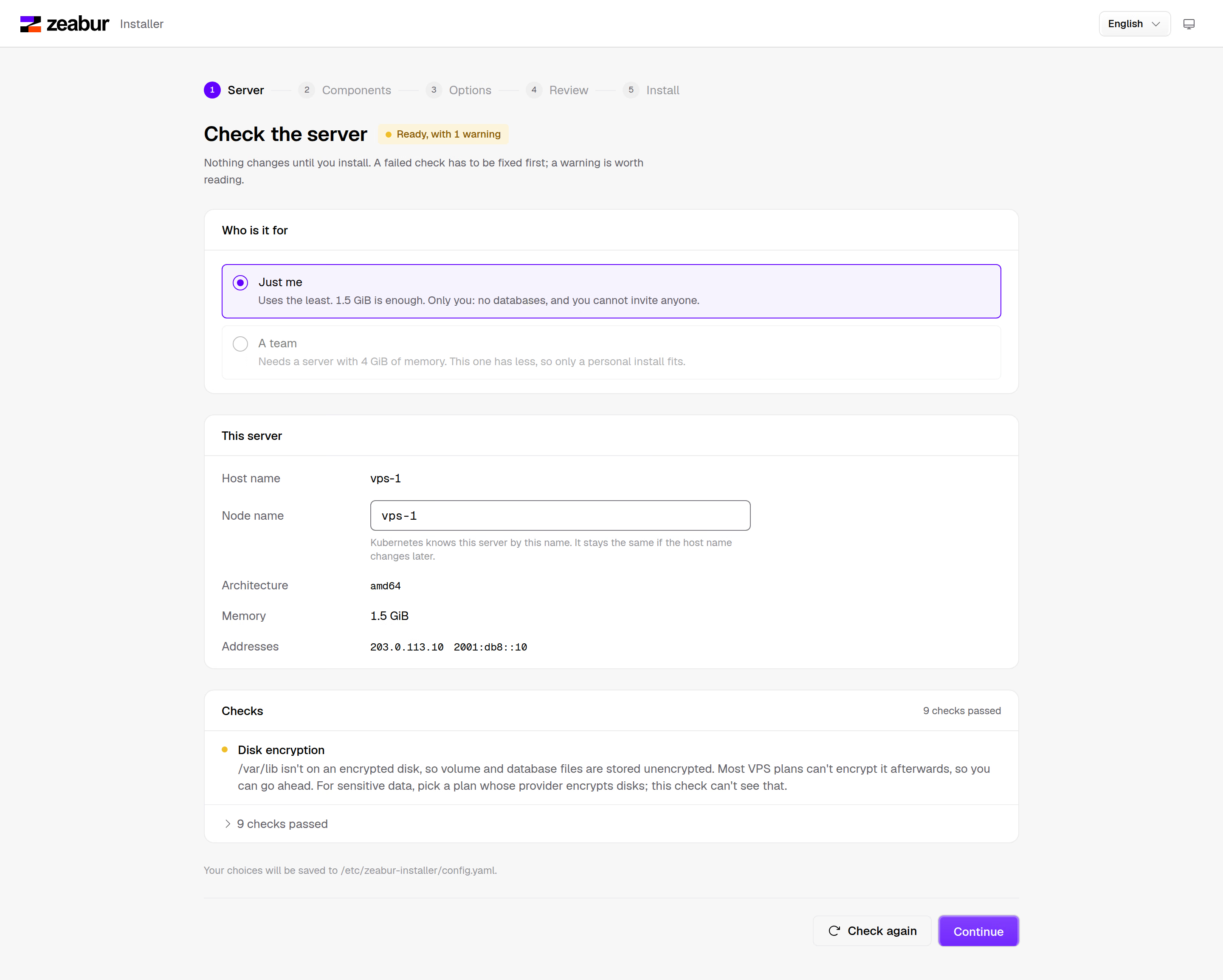
Fix any failed checks first. If Docker is installed on the server, the “Docker” check shows that it needs attention. Stop and remove Docker, then click “Check again.” Until all checks pass, you can't click “Install” in the “Review” step.
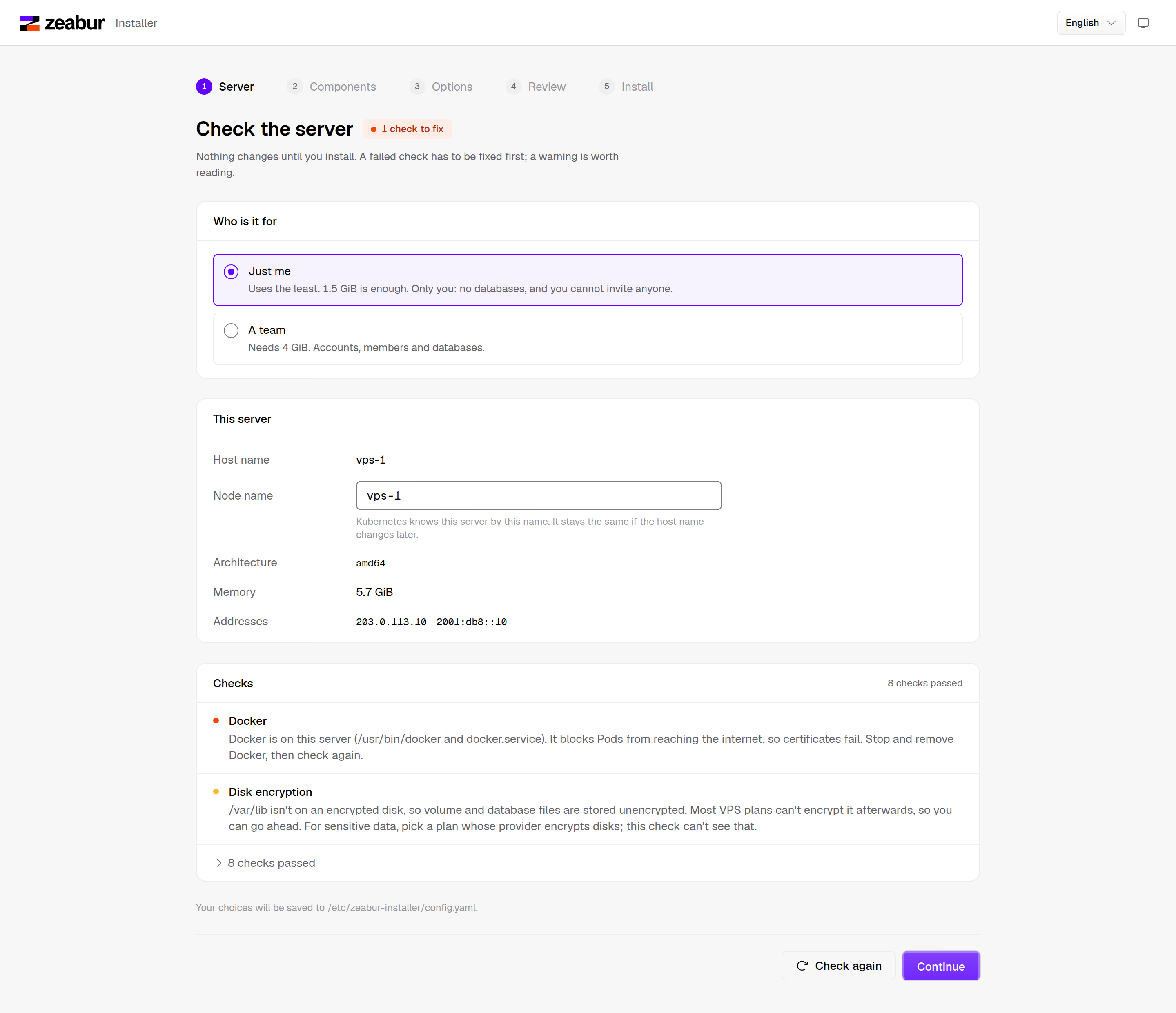
In “Choose components,” Ingress and certificates are selected by default. To build from Git or a folder, select “Zeabur Builder.” zot comes with it.
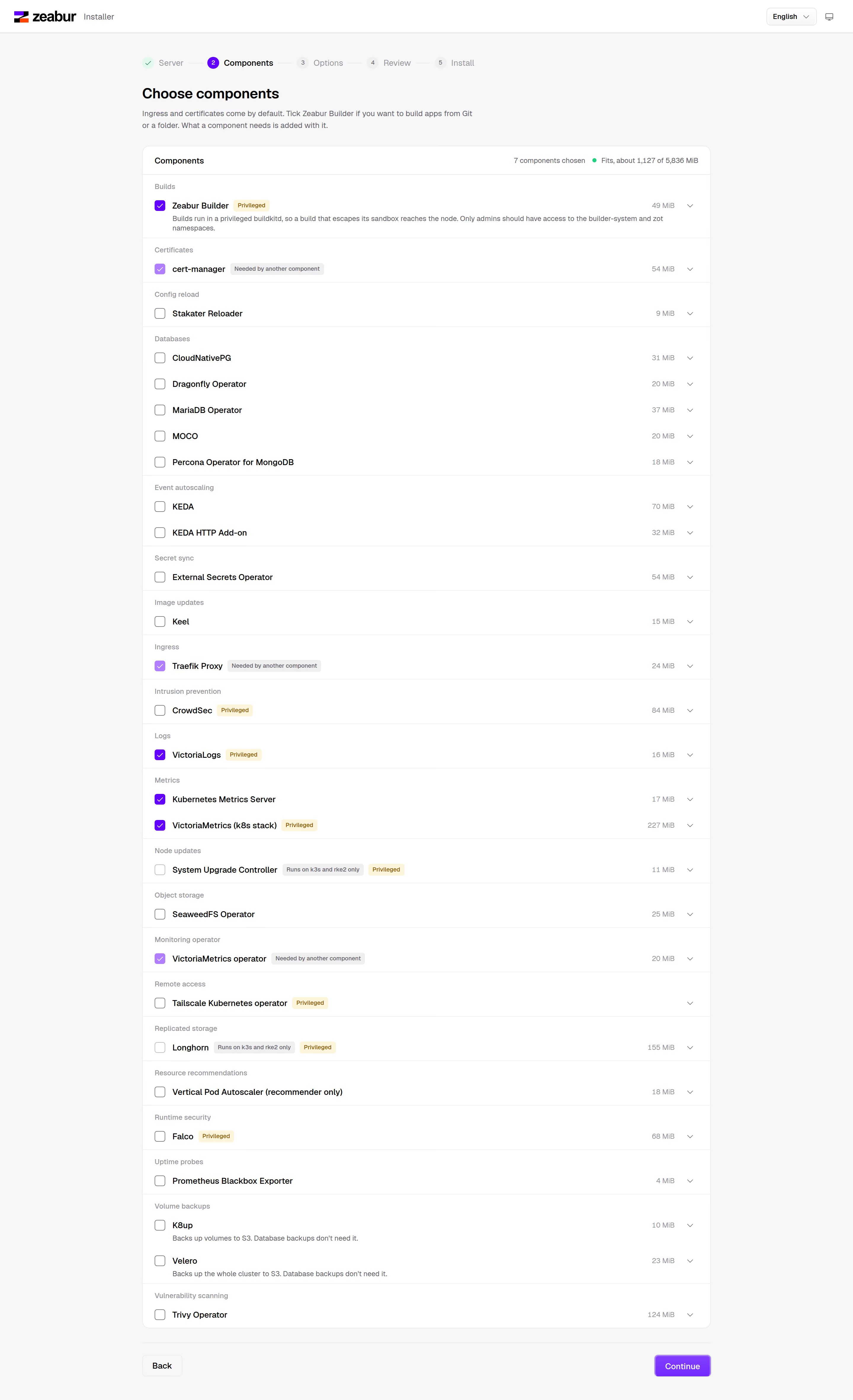
If there isn't enough memory, Zeabur Builder is disabled, with the required amount shown next to it.
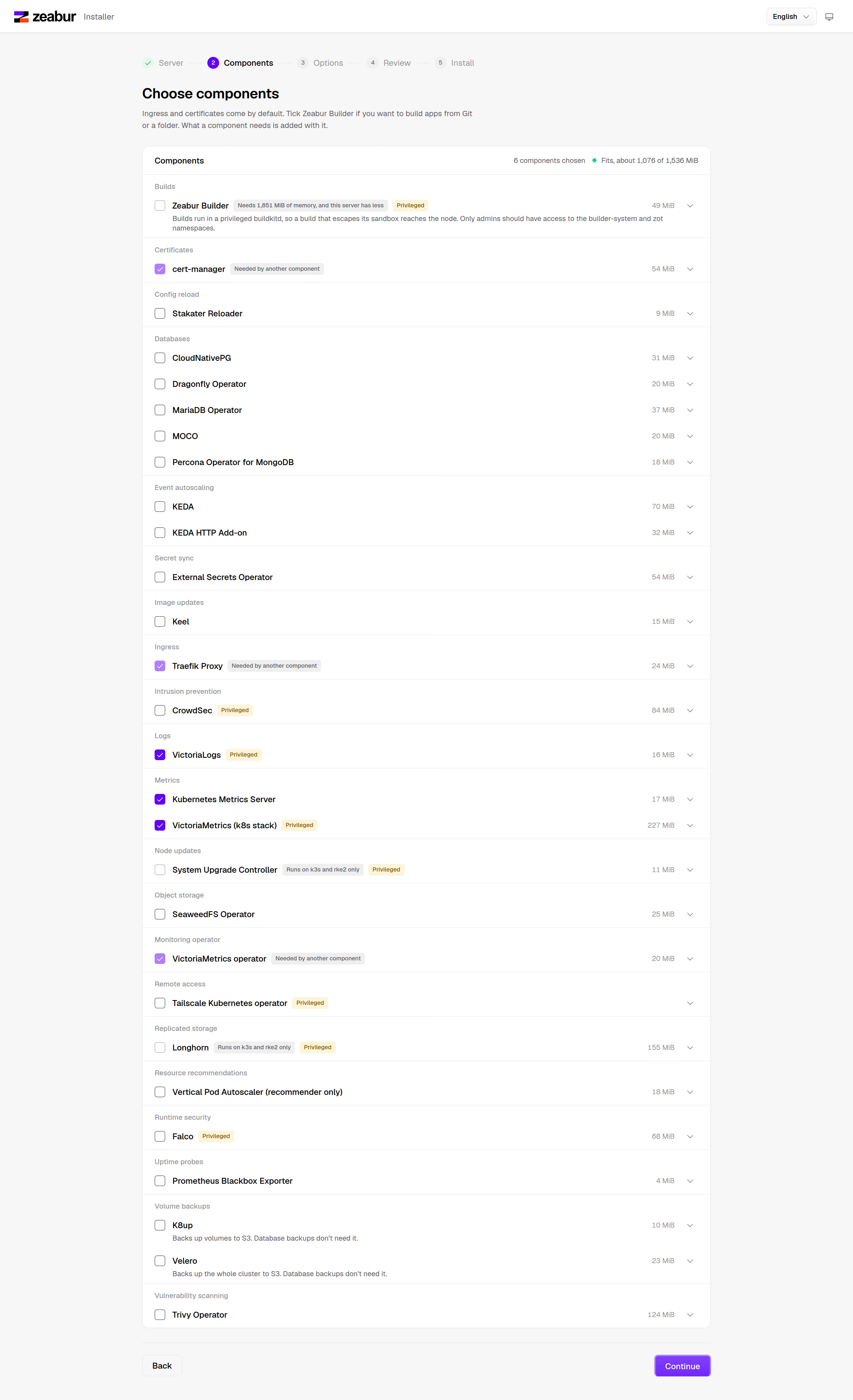
Check the details in “Review,” then click “Install.”
Install with a config file
Section titled “Install with a config file”As root, create /etc/zeabur-installer/config.yaml:
use: personalReview the plan, then install:
sudo zeabur-installer plansudo zeabur-installer applyTo build from Git or a folder, add enable: [builds]. The installer adds zot with it. To use databases, add enable: [databases]. For other fields, see Installer configuration.
Open Zeabur on your own computer
Section titled “Open Zeabur on your own computer”After installation, both “Your cluster is ready” in the web interface and the terminal show two commands. Run them on your own computer, replacing <server> with the server address and <name> with the server's hostname:
ssh <user>@<server> sudo cat /etc/zeabur-installer/kubeconfig.yaml > ~/.kube/<name>.yamlKUBECONFIG=~/.kube/<name>.yaml zeaburctl ui --context <name>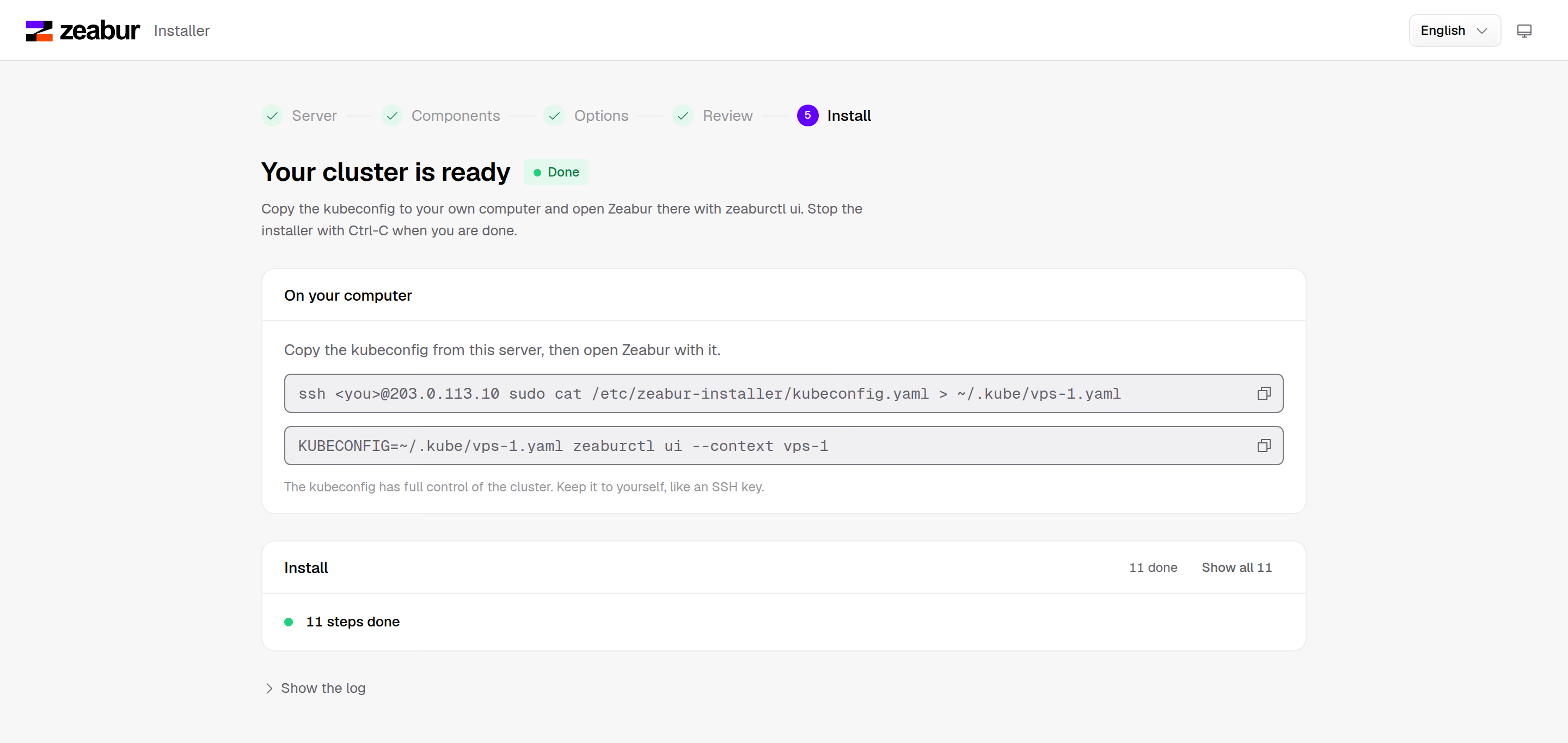
The API address in the kubeconfig is an address the server selects. If your computer needs a different address or domain to connect, change server: in the file, add the same address or domain to host.tlsSan in the installer config file, and run apply again.
Build a folder with zeaburctl up
Section titled “Build a folder with zeaburctl up”After installing Zeabur Builder, use the same kubeconfig on your own computer to upload a folder for building:
KUBECONFIG=~/.kube/<name>.yaml zeaburctl up --context <name> --project <project> --service <service>The folder goes to zot on the server through port forwarding. The build runs on the server, stores the result in zot, and the node pulls the image from zot. The installer gives zot's certificate to the node's containerd and writes zot's address and certificate to the zeabur-info config file in kube-public, where zeaburctl reads them. If you didn't select Zeabur Builder, zeaburctl up reports that the cluster has no Builder and doesn't upload anything.
Manage without the installer
Section titled “Manage without the installer”After installation, you don't need to run the installer again. You can manage everything in the cluster with kubectl:
- KubeSolo runs as the systemd service
kubesolo, with configuration in/etc/kubesolo/config.yaml. View its logs withjournalctl -u kubesolo. - Each component is a
HelmChartinkube-system, installed by helm-controller. List them withkubectl get helmcharts -n kube-system, and edit theHelmChartto change its configuration. - The installation record is the
zeabur-installerconfig file inkube-system. It's only a record fordoctorto read.
You can also do everything the installer does manually: install KubeSolo following the KubeSolo instructions, run kubectl apply with the helm-controller release manifest, and create a HelmChart for each component. For a manual installation, you need two more changes to prevent HelmChart resources from reinstalling repeatedly:
- KubeSolo's webhook adds the node to a Job's
nodeSelector. When helm-controller sees that the Job has changed, it deletes and recreates it. The installer configures systemd to run/usr/local/libexec/zeabur-kubesolo-webhookafter each KubeSolo startup to remove Jobs from the rules in MutatingWebhookConfigurationwebhook.kubesolo.io. This script uses kubectl to wait for the rules to appear, then watches them for one minute and removes Jobs again if KubeSolo rewrites the rules. It doesn't read system logs. The same webhook still assigns nodes to replicas and volumes. - The klipper-helm version in the helm-controller release manifest is too old. It doesn't record the configuration hash after installation, so helm-controller keeps upgrading the same chart. The installer replaces
DEFAULT_JOB_IMAGEwithrancher/klipper-helm:v0.13.3-build20261021, which k3s uses with the same helm-controller version.
Check the installation
Section titled “Check the installation”sudo zeabur-installer doctorThis checks KubeSolo, each component with the Catalog's health checks for it, and the default storage class. It also reminds you that the machine has no isolation. If Zeabur Builder is installed, it also checks that Builder is running and that containerd trusts the certificate zot currently uses. Exit codes are the same as for team use. See Check the installation.
Uninstall
Section titled “Uninstall”sudo zeabur-installer uninstall doesn't delete anything. It only prints removal commands. To delete the applications and volumes as well, run these commands in order:
sudo systemctl disable --now kubesolosudo rm -f /etc/systemd/system/kubesolo.service /usr/local/bin/kubesolo /usr/local/libexec/zeabur-kubesolo-webhook /etc/apparmor.d/cri-containerd.apparmor.dsudo systemctl daemon-reloadsudo rebootStopping the service leaves the containers and their mount points in place. Reboot to clear them, then delete the data:
sudo rm -rf /var/lib/kubesolo /etc/kubesolo /var/lib/zeabur-installer /etc/zeabur-installer